STAT 80B - Data Visualization
10 Mar 2026
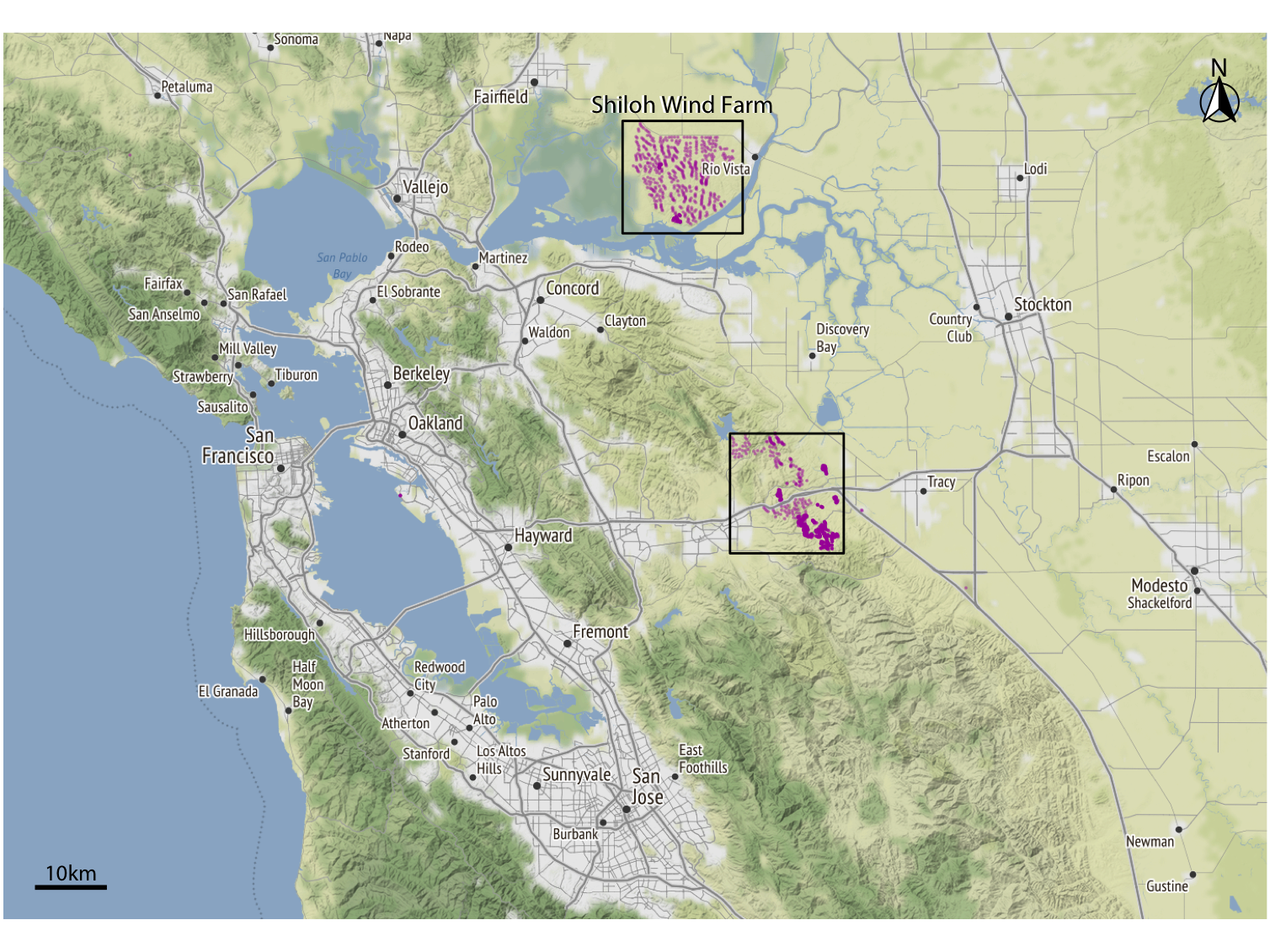
Reading: Wilke Ch 15 & 16
The fundamental challenge of maps: projecting a 3D sphere onto a 2D surface always introduces distortion.
Every map projection makes a tradeoff — it can preserve:
No projection can preserve all properties at once.
| Projection | Preserves | Distorts | Best For |
|---|---|---|---|
| Mercator | Shape/angles | Area at poles | Navigation |
| Albers Equal-Area | Area | Shape | Thematic maps of US |
| Robinson | Compromise | Both slightly | World maps |
| Mollweide | Area | Shape near edges | Global comparisons |
| Web Mercator | (Speed) | Area | Web tiles (Google Maps) |
The Mercator projection wildly inflates area at high latitudes:
🔍 Find this example yourself
Search: “Mercator projection distortion comparison” — Wilke Figure 15.2 shows a good side-by-side. Also try thetruesize.com — drag countries to compare their real sizes!
For U.S. data: Albers Equal-Area Conic is the standard choice
For global data:
Key question: Are you comparing quantities across regions? → Use an equal-area projection.
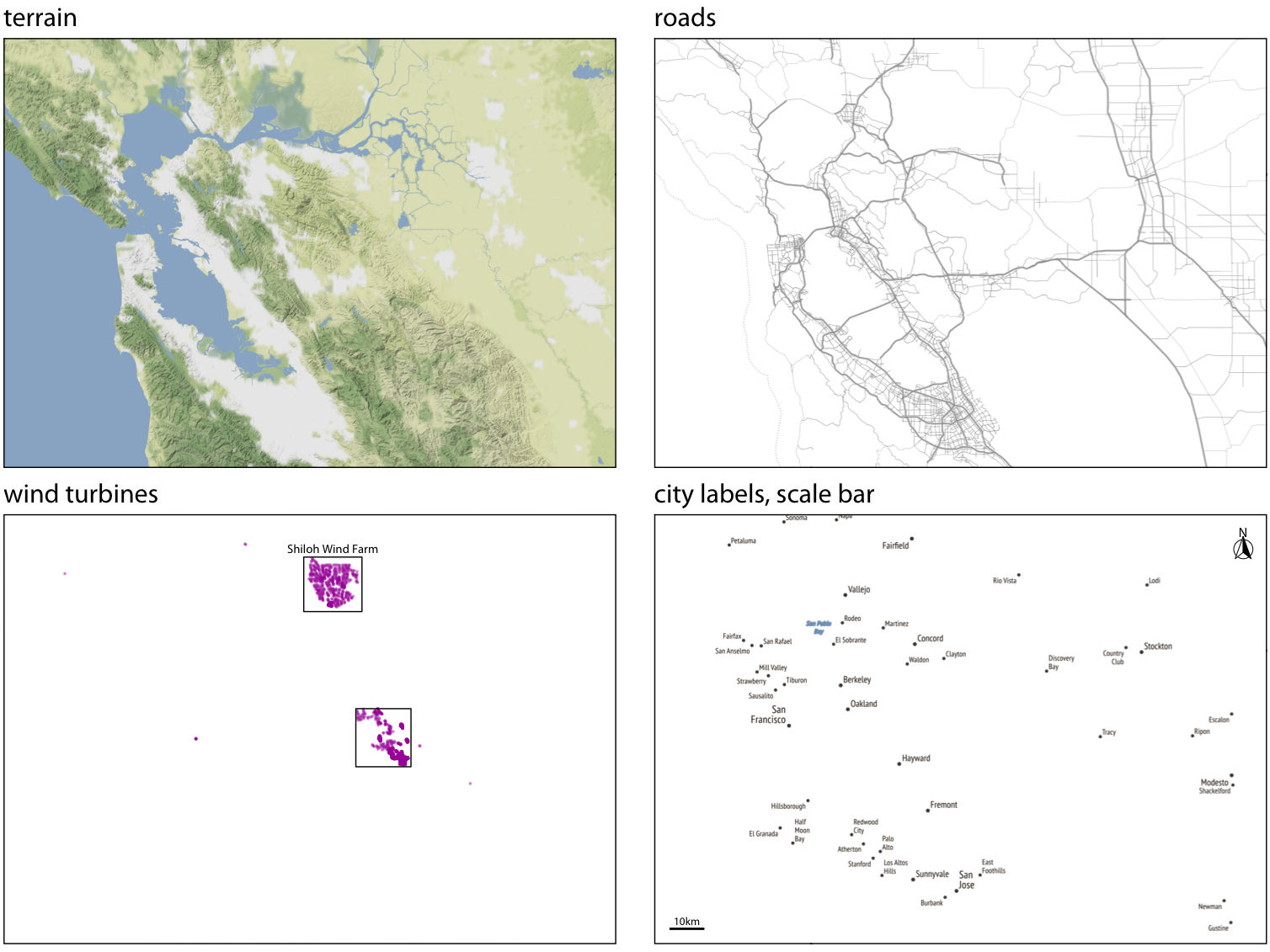
A complete map is built from layers (Wilke Ch 15.2):
Think of it like ggplot’s geom_* layers — each adds meaning.
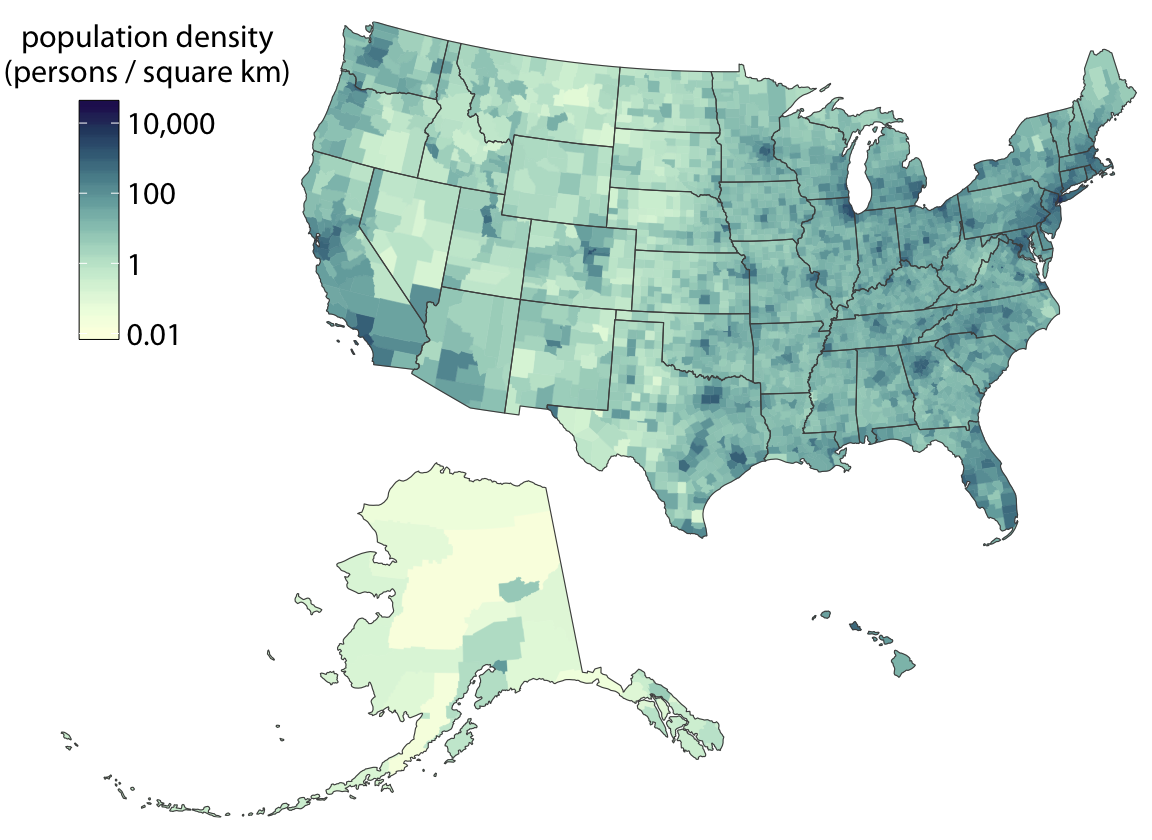
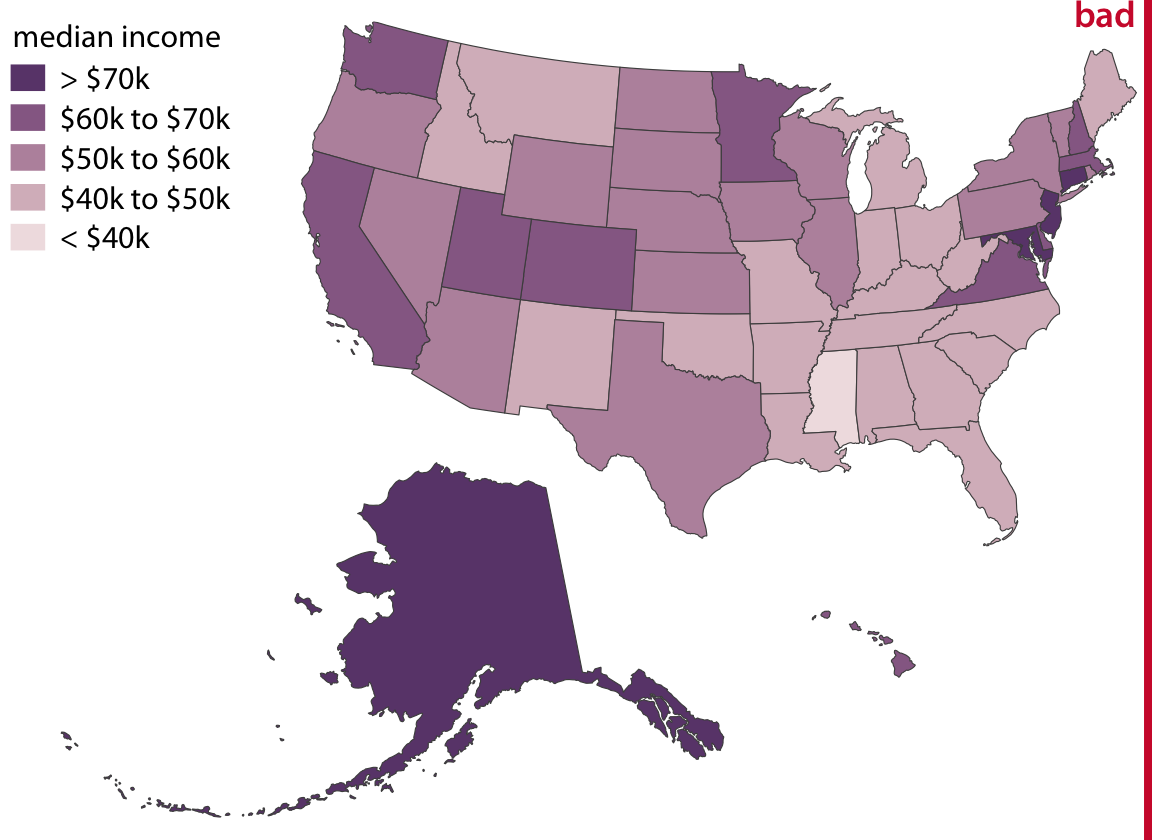
A choropleth map colors geographic regions according to a data value.
✅ When choropleths work well
⚠️ Choropleth pitfalls
Imagine a choropleth of total votes by U.S. county. Wyoming covers a huge geographic area, but has fewer than 250,000 voters. Los Angeles County is tiny on the map but has ~5 million voters.
The eye is drawn to area, not to the data.
🔍 Another Example
❌ Common mistake
Using a rainbow/jet colormap — it implies order and magnitude where there may be none, and is not colorblind-friendly.
Look at this map: https://www.nytimes.com/elections/2012/results/president.html
Discuss with a partner:
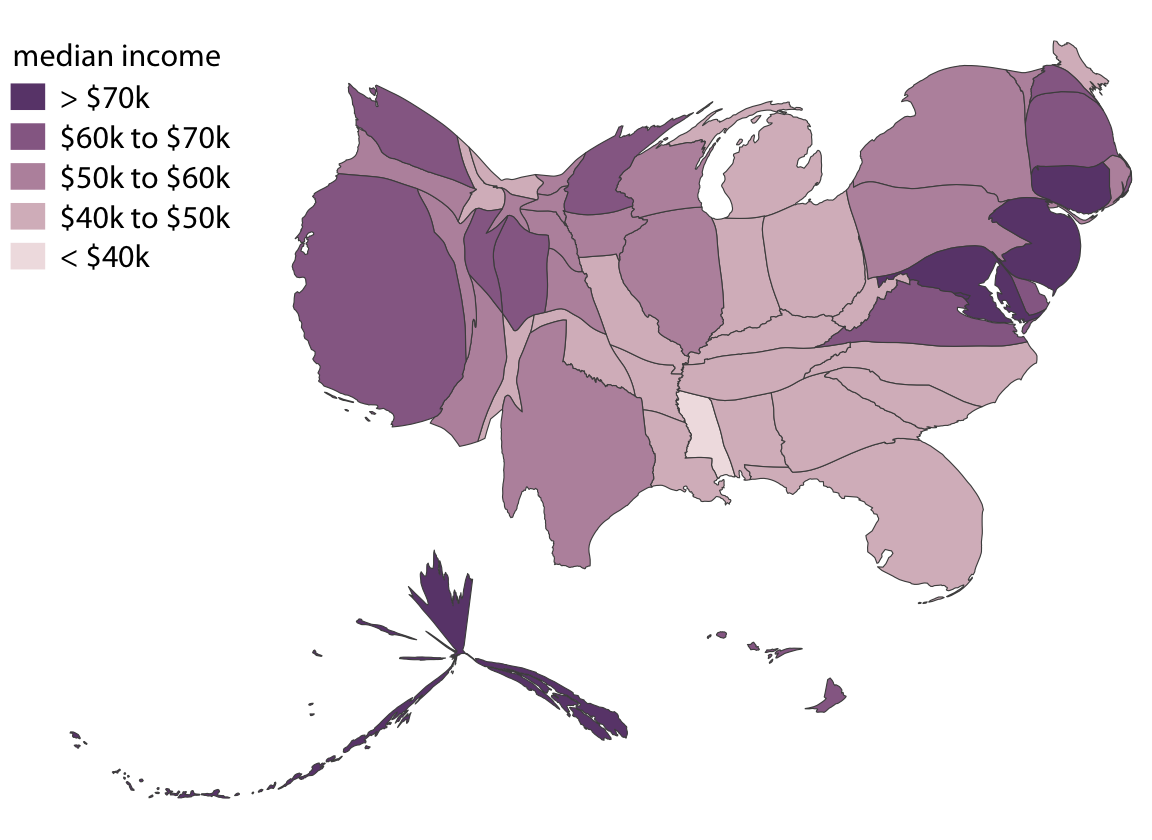
A cartogram rescales regions proportionally to some data variable — usually population.
Types of cartograms:
The cartogram heatmap (tilegram) gives every region equal visual weight — great when you care equally about all units.
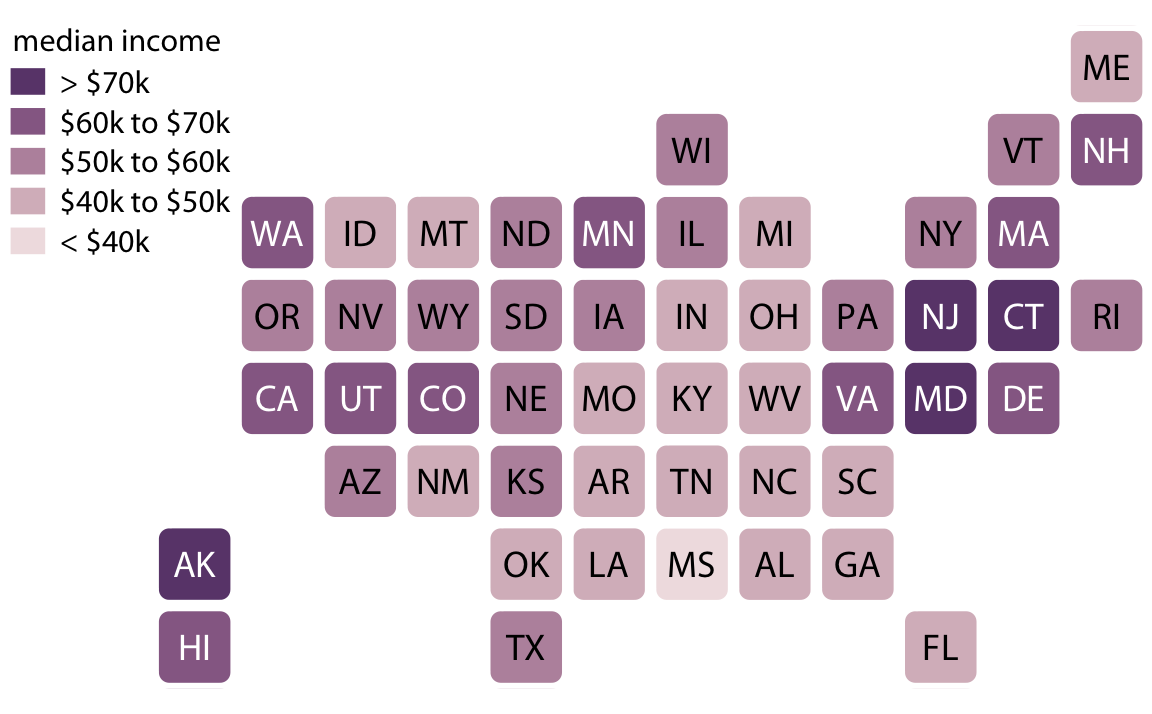
Tradeoff: geographic accuracy is lost, but no region dominates visually.
| Situation | Best Choice |
|---|---|
| Data is a rate/density | Choropleth (equal-area projection) |
| Showing counts, all regions matter equally | Cartogram heatmap |
| Emphasizing population-weighted patterns | Contiguous/Dorling cartogram |
| Showing point locations with data | Bubble map |
| Comparing a variable over time per region | Small multiples map |
“The most challenging aspect of data visualization is the visualization of uncertainty.” — Wilke, Ch 16
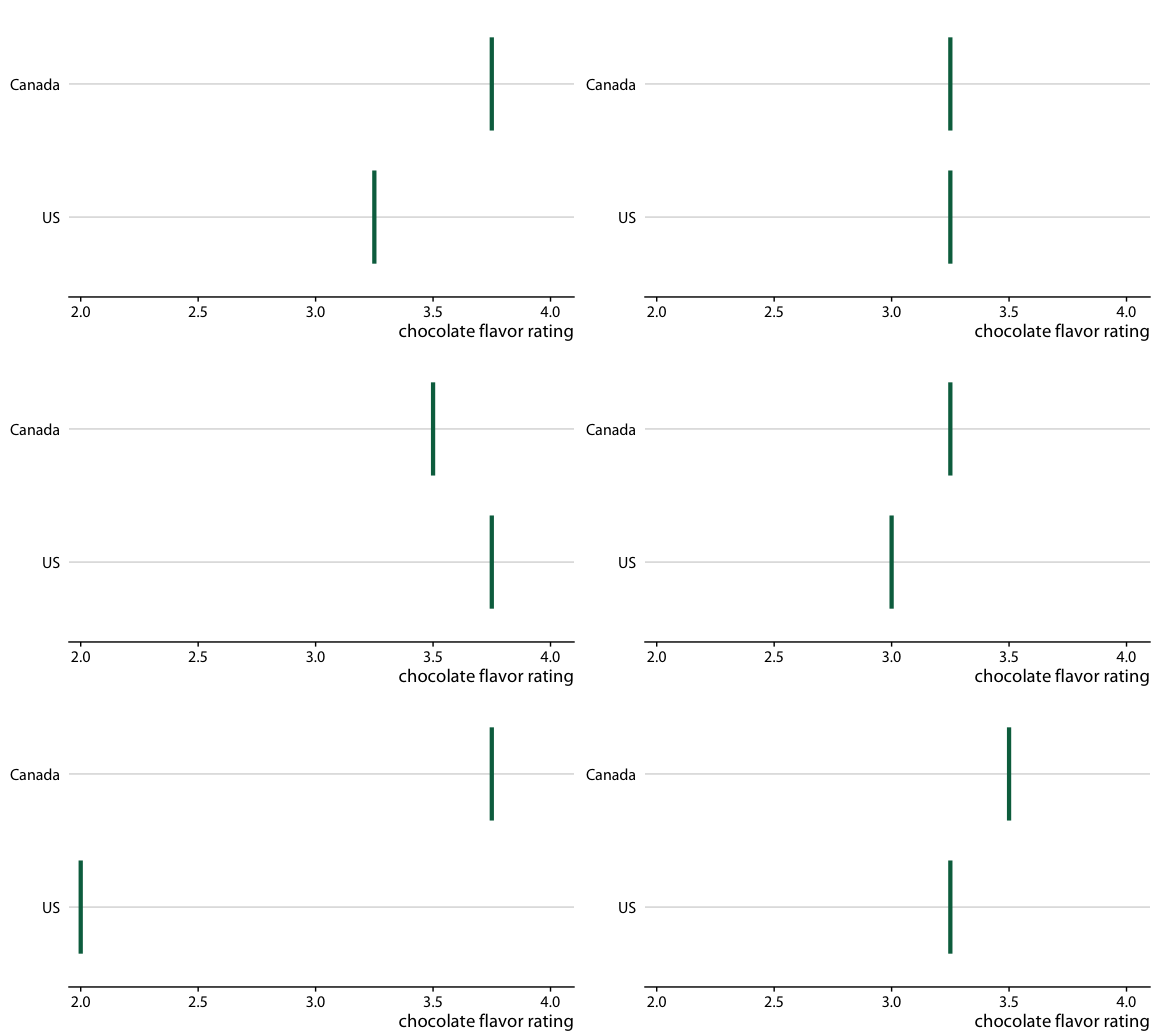
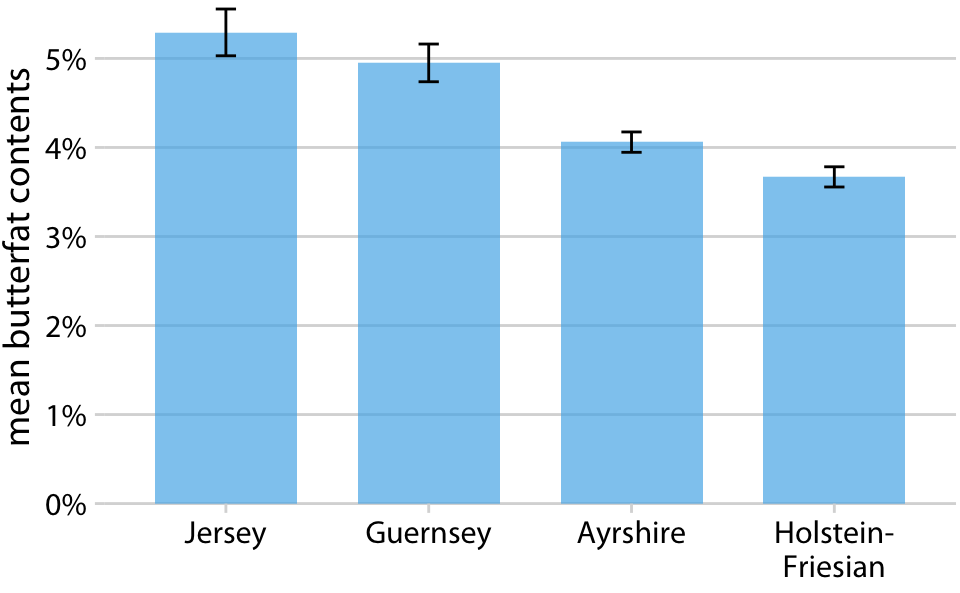
Error bars extend from a central estimate to show a range. But what does the bar represent?
The error bar problem
Studies show readers often can’t distinguish these even when labeled. Always state explicitly what your error bars represent.
| Visual | What it shows | Good for |
|---|---|---|
| Simple error bars | A single range | Point estimates with CI |
| Graded error bars | Multiple confidence levels | Showing uncertainty spectrum |
| Box plots | Quartiles + outliers | Distribution shape |
| Violin plots | Full distribution | Comparing distributions |
| Half-eye / eye plots | CI + distribution | Combining precision + shape |
| Quantile dot plots | Discretized distribution | Lay audiences, frequency framing |
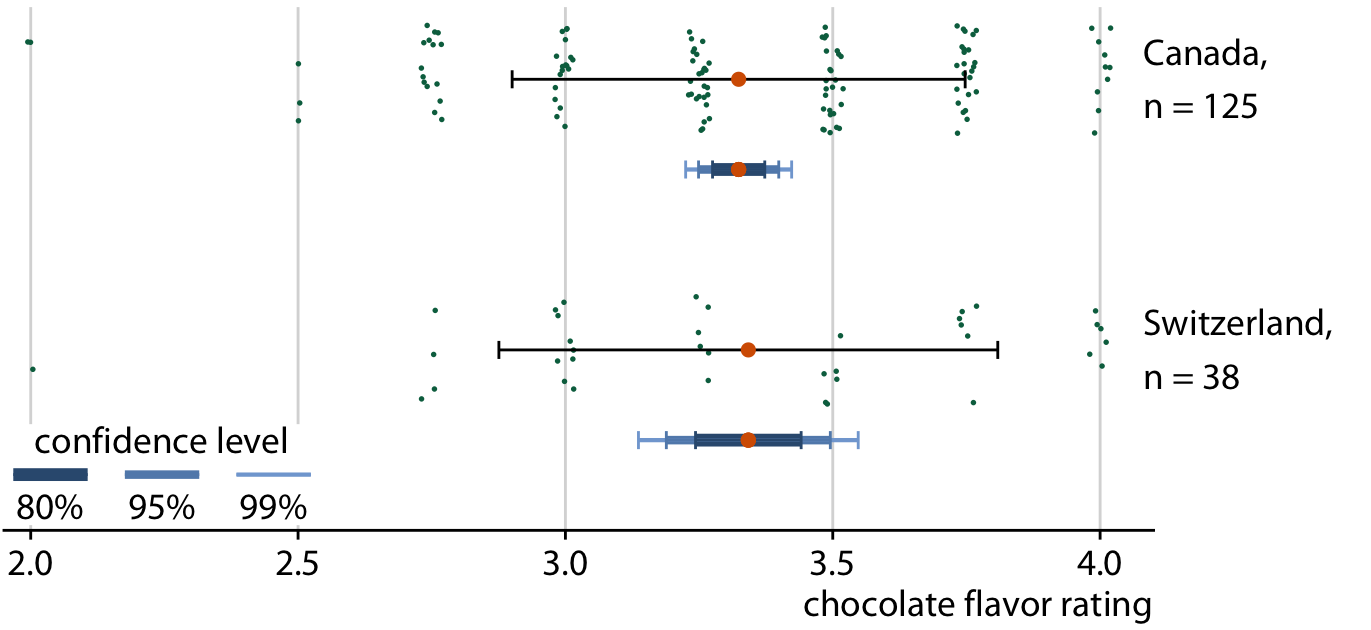
Instead of one confidence level, graded error bars show multiple levels simultaneously (e.g., 50%, 80%, 95% CI).
The thicker inner bar = higher confidence; the thinner outer bar = lower confidence. Readers get a sense of the full range of plausible values.
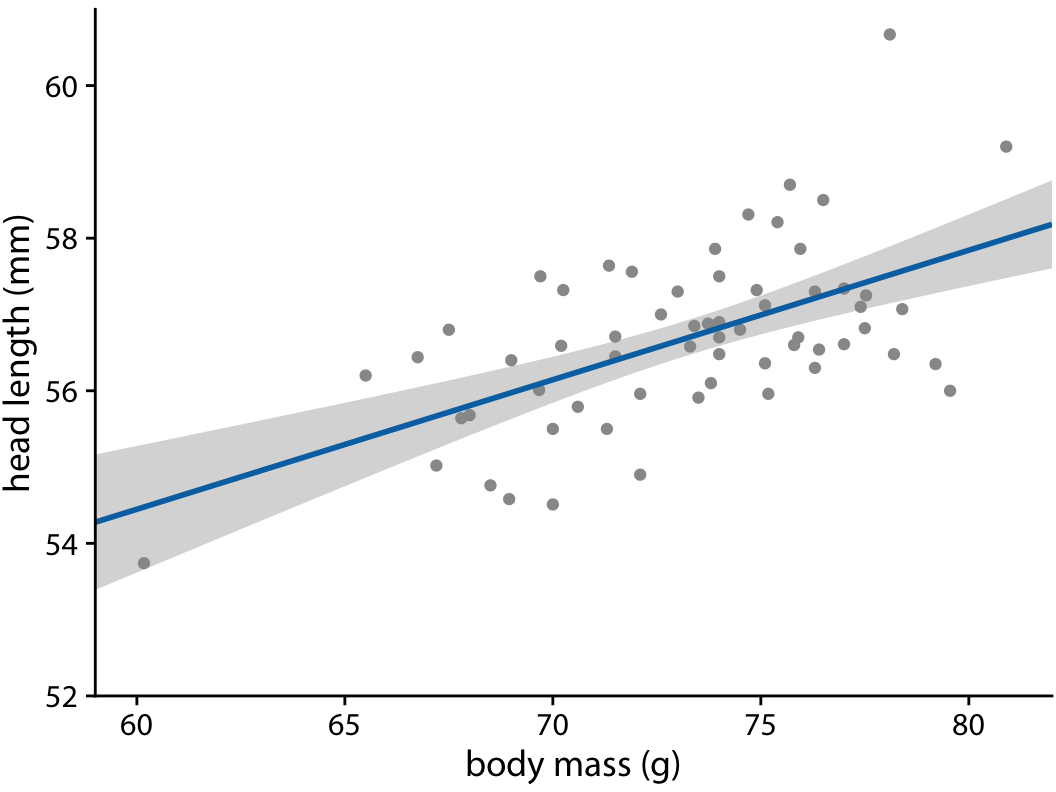
When fitting a model to data, the fitted line itself has uncertainty. We visualize this with a confidence band.
Look at this plot description:
A scatter plot of exam scores vs. study hours. A fitted regression line is shown with a gray shaded band. The band is narrow in the middle and widens at the extremes.
Discuss:
People are bad at reasoning about probabilities. Frequency framing reframes probability as counts out of a concrete group.
Hard to grasp: > “There is a 17% chance of rain.”
Easier: > “In 17 out of 100 days like today, it rained.”
Quantile dot plot — shows a distribution as discrete dots, where each dot = one possible outcome.
HOPs animate through multiple possible outcomes, one at a time. Each frame = one draw from the distribution.
| Audience | Goal | Best approach |
|---|---|---|
| Scientists | Precise inference | Graded error bars, CI bands |
| General public | Intuition about variability | Quantile dot plots, HOPs |
| Decision-makers | Range of plausible outcomes | Frequency framing |
| Data-savvy readers | Full distribution shape | Violin plots, half-eyes |
Choose one graph from this collection: NYT collection
Read: Wilke Ch 17 (Proportional Ink) and Wilke Ch 29 (Telling Stories with Data)
We’ll shift from what to show to how to show it well — design principles, avoiding common pitfalls, and building visualizations that tell a clear story.
STAT 80B - Winter 2026 | Week 8 - Tuesday