Welcome to STAT 266A
Week 1 · Thursday, Sep 24 · Meet + greet + syllabus + install
Today’s plan
| Time | What |
|---|---|
| 1:30 | Meet + greet |
| 1:50 | How this course works: the syllabus |
| 2:30 | The AI Use Policy, and why |
| 2:45 | Install R, Positron, git, and GitHub (start here, finish in Tuesday’s DS) |
Note
Laptops open only for the install part at the end. For now, just talk to people.
Meet + greet
About me
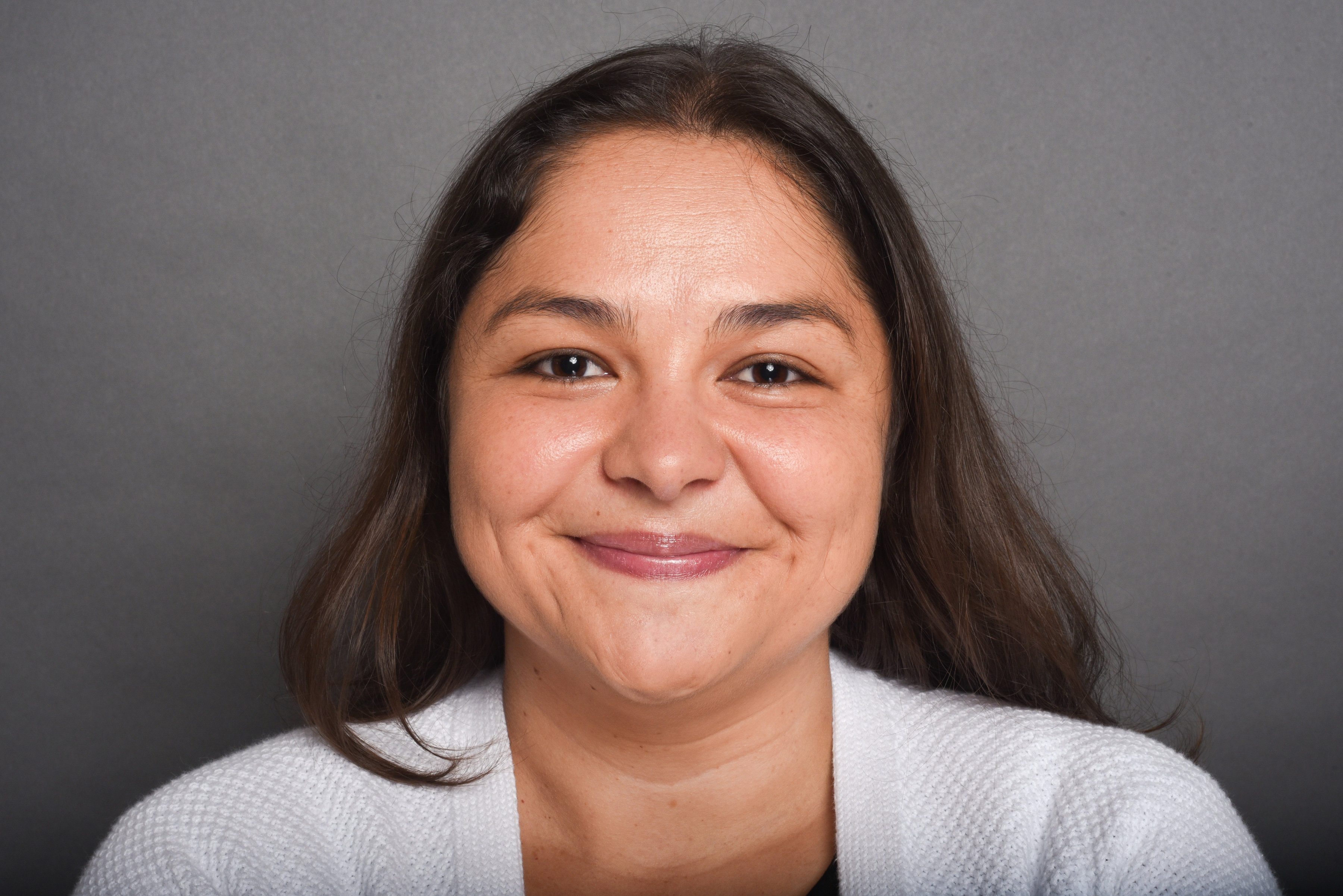
- Dr. Marcela Alfaro Córdoba
- A fun fact
- Website: malfaro2.github.io
- Email: macordob@ucsc.edu
Your turn: meet two people
⏱ 8 min
Turn to two people near you and share:
- Your name and program
- Your experience with R or any programming: none is a great answer
- One question about the world you’d like to answer with data
Then answer the same three questions on Ed Discussion (today’s in-class thread). This is also a test run: participation is graded through it all quarter.
Why a course on R and data visualization?
- Data analysis is a conversation with data: you ask a question, make a plot, look at it, and the plot suggests the next question
- R was built by statisticians for exactly that conversation
- It’s free and open source, runs everywhere, and has thousands of packages
- Everything you do is written down as code, so it can be read, checked, repeated, and shared
A spreadsheet tells you what you got. A script tells you how you got it.
How we learn in this course
Learn by doing
- Live coding in lecture: type along, don’t just watch
- Practice on your own laptop every session
- Bring your own data questions
Struggle is the point
- Getting stuck is where the learning happens
- We are building paths in your head: reading code, reading errors, guessing and testing
- The goal is not to find the right answer fast
Tip
Mistakes are expected in this room. Every error message you read now is one you’ll recognize later.
How this course works
Course info
| Day | Time | Location | |
|---|---|---|---|
| Lecture | Tue, Thu | 1:30-3:05 pm | McHenry Lib 1350 |
| Discussion Section (DS) | Tuesday | 9:50-10:55 am | Soc Sci 2, Room 363 |
| Office hours | Tue, Thu | after class | Outside the classroom |
- Can’t make it? Book an appointment, or post on Ed Discussion if no slot works
- Website: the full syllabus, the week pages, and slides
- Canvas: submissions and grades
- Ed Discussion: announcements and questions. Check it regularly!
The weekly rhythm
Thursday lecture
1:30-3:05 pm
- New material, live coding
- Starts with the discussion check on last Tuesday’s DS
Tuesday DS
9:50-10:55 am
- Self-guided exercises on Thursday’s material
- Solve on your own, no AI
- Print your solutions as a PDF
Tuesday lecture
1:30-3:05 pm
- New material continues
- Hands-on practice
Bring the DS printout to the following Thursday. We discuss it on paper, pencil in hand.
Week 1 is different: Tuesday’s DS is machine setup, and there’s no printout yet.
Assessment
| Component | Weight |
|---|---|
| Final project (five deliverables) | 60% |
| DS work (PDF printouts + discussion check) | 30% |
| Class participation (Ed Discussion in-class posts, in-class tasks) | 10% |
There are no exams and no take-home extra assignments. Credit comes from working through problems and from being able to explain your own work.
DS work: 3 points each
- 2 points: the printout. Graded on completion and effort.
- 1 point: the discussion check. On Thursday, be ready to:
- explain any line of your solution
- predict the output of a line without running it
- answer a short no-laptop question on the same concept
Note
The lowest DS grade is dropped. Late DS: up to 3 days late, with 5% off for each 24 hours.
The final project: 60%
A data-driven research question of your choice, done alone or in pairs, in five deliverables:
| Deliverable | Weight | Format | Due |
|---|---|---|---|
| Proposal | 10% | Oral presentation | Tue, Oct 20 |
| Mid-quarter report | 15% | Written (10%) + 5-min individual check-in (5%) | Tue, Nov 3; check-ins in Week 7 |
| Peer review | 5% | Written review of a classmate’s work | Tue, Nov 24 |
| Final presentation | 15% | Presentation + individual Q&A | Dec 1 and Dec 3 |
| Final written report | 15% | Written, with an AI-use reflection | Finals week |
Every deliverable has an individual part. Pairs keep a shared GitHub repo and a contribution statement.
Revisions
- Each project deliverable has a hard deadline…
- …and one chance to improve your grade after it is graded.
- A revision includes a short reflection:
- what you changed
- why you changed it
- what you learned
Tip
Feedback is meant to be used. Plan to revise.
Start thinking about your project now
- What topic do you care about? Your research, a hobby, your community, a news story
- Is there data on it? Public data portals, your lab, a package in R
- What question could a plot help answer?
⏱ 3 min
Write down one topic and one possible data source. We’ll come back to it in Week 4 (proposal due Tue, Oct 20).
The AI Use Policy
Why have a policy at all?
AI tools can write R code, and that code often runs without errors while being wrong:
- a join that silently drops rows
- a regression that ignores a violated assumption
- a plot that misleads
If AI writes your code before you can read it, you can’t tell when it’s wrong.
So we first build the skills you’ll use to check AI output. Later we use AI, and check it.
The policy depends on the activity
| Activity | AI status |
|---|---|
| Intro to R lessons, in-class exercises, in-class Ed Discussion posts | Not allowed |
| DS exercises | Not allowed. Turn off the Positron assistant and code completion |
| “AI audit” exercises (Weeks 5 and 9) | Provided: you find and fix errors in AI output we give you |
| Project deliverables (proposal, reports) | Allowed with disclosure |
| Peer review | Not allowed |
| Oral presentations, check-ins, Q&A | Not allowed |
The rule follows the goal: when the goal is to build a skill, no AI. When the goal is to use your skills, AI is allowed, and you must be able to explain every line out loud.
Disclosure, responsibility, trust
- Disclose: every project deliverable ends with a short “AI use” note. “None” is a perfectly good answer. Honest disclosure is never penalized.
- You’re responsible for everything you submit, including AI errors. “The AI did it” is not an explanation.
- No AI detectors. If something concerns me, I’ll ask you to walk me through your work in person.
- No paid tools needed. No grade depends on having an AI account.
Important
This week: no AI. We’ll switch off Positron’s assistant together in Tuesday’s DS.
Your turn: what do you think?
⏱ 5 min
On Ed Discussion (today’s in-class thread):
- Have you used an AI tool to write code before? For what?
- Describe a time you trusted an answer (from AI, a website, a friend) that turned out to be wrong. How did you find out?
We’ll discuss a few answers together.
Support and community
Getting help
- Office hours after every class
- Ed Discussion for questions
- A classmate: explaining something is the best way to learn it
- DRC accommodations: please talk to me early
- Need a laptop? The library lends them
How we treat each other
- Be open to others’ views, and to changing yours
- Listen, and disagree respectfully
- Everyone starts from a different place, and all of them are fine
The full syllabus includes Title IX/CARE, CAPS, Slug Support, and other resources.
Let’s install!
What we’re installing
| Tool | What it is | Why |
|---|---|---|
| R | The programming language | Runs your code |
| Positron | An IDE (editor + console + plots) | Where you write and run R |
| git | Version control | Keeps the history of your work |
| GitHub account | Online home for git repos | Project collaboration and sharing |
All of them are free. Please don’t pay for any of these.
If you get stuck, stop there. Tuesday’s DS (9:50 am) is set aside for finishing and troubleshooting.
Step 1: Install R
- Go to cloud.r-project.org
- Pick your operating system:
- macOS: download the
.pkgfor your chip (Apple siliconarm64for M1-M4,x86_64for Intel) - Windows: “base” → Download R for Windows
- Linux: follow the instructions for your distribution
- macOS: download the
- Run the installer and accept the defaults
Tip
Not sure which Mac you have? Apple menu → About This Mac. “Chip: Apple M…” means arm64.
Step 2: Install Positron
- Go to positron.posit.co → Download
- Choose the installer for your operating system and run it
- Open Positron. It should find R on its own: look for R and a version number in the top right corner
Note
Install R first, then Positron. If Positron opened before R was installed, just restart it.
Step 3: Install git
macOS
Open the Terminal app and type:
If git is missing, macOS offers to install the Command Line Tools. Say Install.
Windows
Download Git for Windows from git-scm.com and accept the defaults.
Linux
(or your distribution’s package manager)
Step 4: Create a GitHub account
- Go to github.com → Sign up
- Choose a username you’d be happy to put on a CV (you’ll share it with collaborators and employers)
- Use an email address you’ll keep after you graduate. You can add your UCSC email as a second address later.
Post your GitHub username in the Ed Discussion thread. That’s how I’ll find you when the project repos are set up.
Before Tuesday
Tuesday DS (9:50 am, Soc Sci 2 363): finish the setup, configure git, turn off AI in Positron, and install our first packages.
Tuesday lecture (1:30 pm): we write our first R code.
Anything not working? Write down the exact error message and bring it to the DS.

STAT 266A · Fall 2026 · UC Santa Cruz